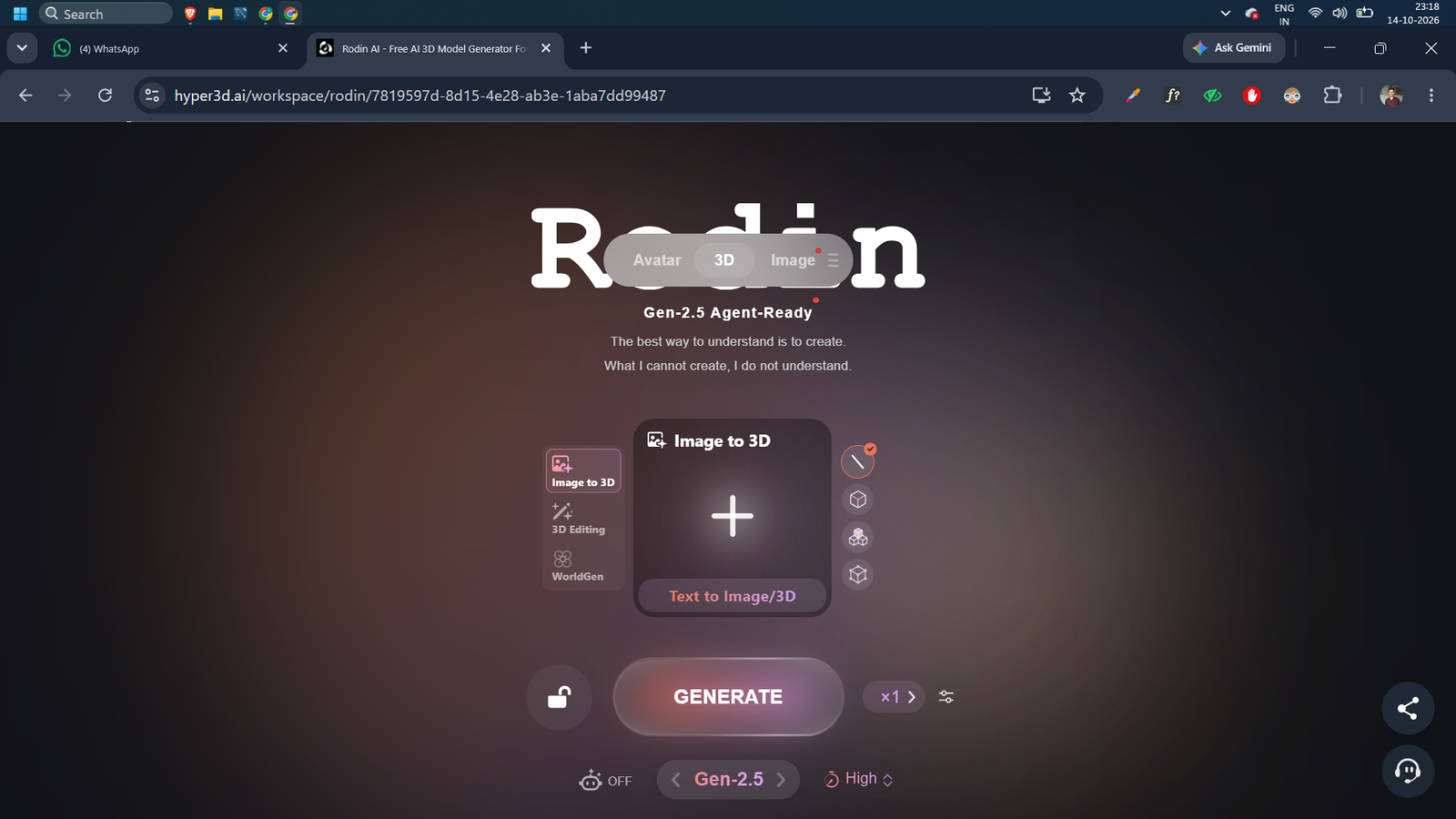
I Used Hyper3D Rodin to Generate Image to 3D Model Free — Here’s What Happened
Generate Image to 3D Model Free: Hyper3D’s Rodin promises to turn any image into a ready-to-export 3D model in under 90 seconds. I tested every feature — free tier, API, ChatAvatar, and the MCP integration so you know exactly what you’re getting before you sign up.
Table of Contents
I was building a side project that needed a few 3D game props. Nothing fancy — just some simple objects I could drop into a Three.js scene. I didn’t want to spend money on a 3D artist or hours inside Blender learning mesh topology from scratch. So I started looking for a way to generate image to 3D model free, and that search kept throwing the same name at me: Hyper3D Rodin.
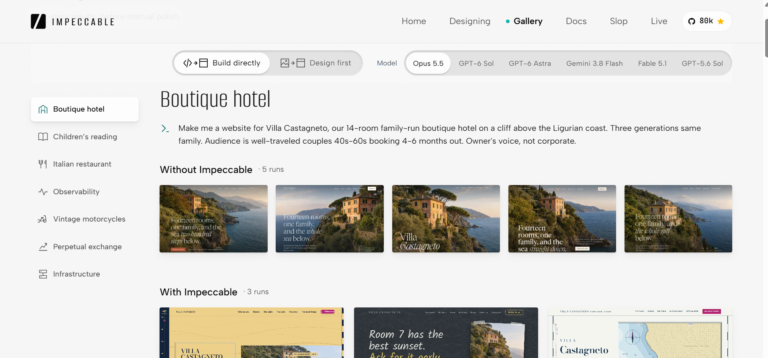
Check It Also: I Tried Impeccable : The AI Design Skill That Wants to Kill UI Slop for Good
I had seen the screenshots. Clean meshes, PBR materials, exports in every format you’d want. It looked almost too good. So I actually sat down with it for a full week, tested the free tier, poked at the API, messed with Chat Avatar, and even tried their new MCP integration with Claude Code. This article is everything I found including the parts that annoyed me.
What Is Hyper3D?
Hyper3D is an AI platform built around one core idea: turn text or images into production-ready 3D assets without needing to know how to model. Their flagship product is Rodin — a generative model that produces meshes with clean topology, UV-unwrapped textures, and PBR materials. The name comes from the sculptor Auguste Rodin, which is a bit on-the-nose, but the ambition tracks.
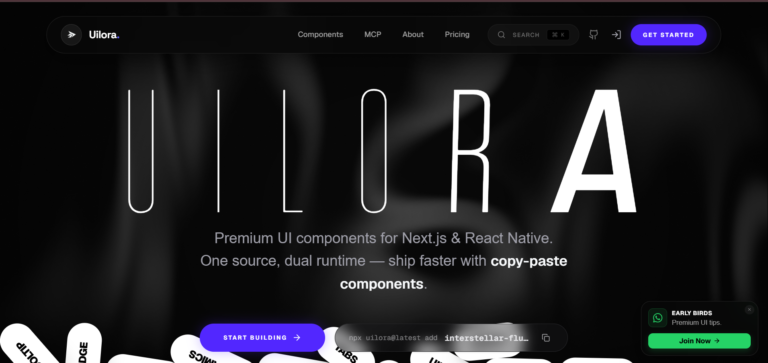
Check It Also: Agent skills for frontend development : Tasteskill.dev
Under the hood, Rodin isn’t just one model. They’ve iterated through multiple generations:
- Gen-1 / 1.5
- Sketch, Regular, Detail, Smooth tiers
- Gen-2
- Image-to-3D + Text-to-3D, full material controls
- Gen-2.5
- Latest -mesh & texture controls, Add-ons, multiple tiers
Alongside Rodin, Hyper3D ships a few more tools: ChatAvatar for generating full character avatars from text or reference images, an AI Video generator for turning images into short clips, and a whole suite of OmniCraft tools (texture gen, HDRI, image remix, SVG-to-3D). For this review I focused on Rodin’s image-to-3D pipeline since that’s what most developers actually care about.
The Problem I Was Facing
Here’s my actual situation. I wanted 3D models of real-world objects — a wooden crate, a metal barrel, a small table — for a Three.js prototype. My options were:
- Option A: Model them in Blender myself. I know Blender. I also know it would take me an hour per object minimum, and the UV unwrapping would take longer than that.
- Option B: Buy assets off Sketchfab or TurboSquid. Fine, but I’d be paying per model, the topology is often messy, and licensing for side projects is a nightmare to track.
- Option C: Find a tool that can generate image to 3D model free, with clean enough output that I can drop it directly into a pipeline.
Option C is where Hyper3D Rodin came in. And I want to be honest upfront the free tier has real limits, but what it does give you is more useful than most competitors’ free tiers.
What You Actually Get for Free
This is the part most reviews skip over. The Hyper3D free plan is $0 and it gives you:
Image-to-3D generationText-to-3D generationBasic export (legacy models)10 private assetsPublic gallery publishing7-day free trial credits
What the free plan does not include: Smart Low-Poly optimization, HD textures, multi-image to 3D (sending 5 images of the same object for better accuracy), API access, or ChatAvatar previews. Those are Creator ($30/mo) and Business ($120/mo) territory.
The free tier’s “generate before you confirm, pay by result” model is actually clever. You can see the 3D preview before spending any credits. If the generation looks bad, you don’t pay. That’s a better guarantee than most AI tools.
During the 7-day trial, I had enough credits to test properly. The basic image-to-3D pipeline worked on all the legacy generation tiers, which honestly produced decent results for simple objects. The moment I moved to Gen-2.5 Medium with proper mesh controls, the quality jumped significantly — but that starts eating into paid credits.
How to Use Hyper3D Rodin (Step by Step)
For non-developers, the workflow is dead simple: go to hyper3d.ai/workspace/rodin, drag in a photo, pick your generation tier, and click generate. The platform shows you a 3D preview in your browser. If it looks right, you export to GLB, OBJ, FBX, USDZ, or STL.
For developers who want to automate this which is where Hyper3D gets genuinely powerful — the API workflow looks like this:
Step 1: Get your API key from the API dashboard and store it as an environment variable:
exportRODIN_API_KEY=’your-api-key-here’
Step 2: Submit your image to the Rodin API:
curl–request POST’https://api.hyper3d.com/api/v2/rodin’ \ –header”Authorization: Bearer ${RODIN_API_KEY}” \ –form’images=@./your-image.png’ \ –form’tier=Gen-2.5-Medium’ \ –form’mesh_mode=Raw’ \ –form’quality=medium’# Returns: subscription_key (for polling) + uuid (for download)
Step 3: Poll for status — generation is async, so you wait and check:
curl–request POST’https://api.hyper3d.com/api/v2/status’ \ –header”Authorization: Bearer ${RODIN_API_KEY}” \ –header’Content-Type: application/json’ \ –data'{“subscription_key”:”your-subscription-key”}’# Poll every 5–30s with backoff; stop when all jobs show “Done”
Step 4: Download the result:
curl–request POST’https://api.hyper3d.com/api/v2/download’ \ –header”Authorization: Bearer ${RODIN_API_KEY}” \ –header’Content-Type: application/json’ \ –data'{“task_uuid”:”your-task-uuid”}’
The base URL is https://api.hyper3d.com/api/v2. Generations on the “Extreme-Low” setting take around 4 seconds. “Extreme-High” goes up to about 80 seconds. For most use cases, Medium hits the sweet spot between speed and quality. Hyper3D also ships a full Python script in their docs that handles the polling loop with proper backoff and a 20-minute deadline — I used that as a starting point for my Node.js wrapper and it saved a lot of time.
The MCP Integration — Actually Useful
This is the part from the screenshot you probably noticed. Hyper3D has an MCP server, which means you can connect it directly to Claude Code or Codex. The setup prompt they give you is: name it hyper3d, point it to https://api.hyper3d.com/api/mcp, and use OAuth.
I set this up in Claude Code and it worked cleanly. You can ask the agent to generate a 3D model, check generation status, and list available tools — all from the terminal. For anyone building AI-powered pipelines where 3D asset generation is one step in a larger workflow, this is genuinely handy. It’s not a gimmick; the MCP connection gives Claude Code actual tool access to submit generations and retrieve results.
They also have CLI support: npm install --global @hyper3d/cli gets you the same capabilities from your terminal without needing to integrate the full API yourself.
Features Worth Knowing About
ChatAvatar
ChatAvatar generates full character avatar packages from text or a reference image. You get a face, body mesh, PBR materials, and built-in facial controls. I only tested this briefly — it’s more useful for game devs and character animators than for my use case. The Business plan unlocks ChatAvatar 3D previews with a commercial license, which matters if you’re shipping anything with these characters in a product.
Smart Low-Poly
This is a Creator/Business-only feature and I genuinely missed it on the free tier. Rodin’s raw output is fairly high-poly, which is fine for rendering but problematic for real-time game engines. Smart Low-Poly automatically retopologises the mesh for engine use. Without it, you’re doing that step yourself in Blender or Houdini.
Multi-Image to 3D
You can send up to five photos of the same object from different angles and Rodin fuses them into one generation. The accuracy on organic and complex objects improves dramatically when you do this. I wish it was on the free tier. It’s not.
Supported Export Formats
GLB and GLTF are the most useful for web work. USDZ is Apple’s format for AR Quick Look. STL is for 3D printing. The coverage is solid — I didn’t hit a format I needed that wasn’t there.
Plugin Ecosystem
Hyper3D has plugins for Blender, Unity, Unreal Engine, Godot, Maya, and 3ds Max. This changes the workflow significantly — instead of exporting and re-importing manually, you generate inside your DCC tool. I didn’t test all of these, but the Blender plugin worked without issues in a quick test.
Advantages and Disadvantages
- Free tier actually lets you test before paying
- Gen-2.5 quality is genuinely impressive
- API is well-documented with real examples
- MCP + CLI for agent/pipeline integration
- Wide plugin ecosystem (Blender, Unity, Unreal)
- All 6 major export formats supported
- 4–80s generation speed depending on tier
- PBR materials out of the box
What bothered me
- Smart Low-Poly locked behind Creator plan
- Multi-image input not free
- API access requires Business plan ($120/mo)
- Free tier limited to 10 private assets
- Credit system can feel opaque on first use
- High-poly output needs manual retopo for games
The Reality Check — Things I Hit
No review is complete without the bugs and gotchas section. Here’s what actually tripped me up:
Credit balance is a snapshot, not a reservation. The docs explicitly say this — if you have concurrent tasks running, your balance read is stale. I hit a generation failure partway through a batch because I was burning credits faster than I was checking. The fix is simple: check balance before submitting each task if you’re doing batch work, not once at the start.
Polling needs proper backoff. Don’t hammer the status endpoint. Hyper3D returns HTTP 429 if you poll too aggressively and the docs are clear about this — wait at least 5 seconds before the first check, then back off up to 30 seconds. Their sample Python script handles this correctly. Copy that logic if you’re rolling your own.
The free tier’s “10 private assets” limit sneaks up on you. I hit this faster than expected because I was testing different settings for the same object. You can publish to the public gallery for unlimited storage on the free plan, but not everything you generate should be public. Keep this in mind if you’re doing a lot of testing.
Complex organic shapes (faces, hands) still struggle. Rodin is excellent at hard-surface objects — products, props, furniture, vehicles. Faces and hands with high-fidelity details were hit-or-miss in my testing. ChatAvatar handles characters better specifically because it’s built for that use case. Don’t use the wrong tool for the job.
How Rodin Compares
| Feature | Hyper3D Rodin | Meshy AI | TripoSR |
|---|---|---|---|
| Free tier | ✓ Real free tier | Limited | ✓ Open source |
| API access | Business plan ($120/mo) | Paid plan | ✓ Self-host |
| Export formats | GLB, GLTF, FBX, OBJ, USDZ, STL | GLB, FBX, OBJ, STL | OBJ, GLB |
| PBR materials | ✓ Out of the box | ✓ Out of the box | ✗ Basic only |
| Multi-image input | Creator+ only | Paid only | ✗ Single image |
| Speed (medium quality) | ~15–30s | ~30–60s | ~5s (local GPU) |
| MCP / agent integration | ✓ Native MCP support | ✗ No | ✗ No |
| Plugin ecosystem | Blender, Unity, Unreal, Godot, Maya, 3ds Max | Blender, Unity | Community only |
TripoSR is interesting if you want a fully self-hosted, open-source option and have the GPU for it. Meshy is a solid competitor. But if you’re a developer who wants an API, a clean SDK, and the ability to wire 3D generation into an AI agent via MCP, Rodin is currently ahead of the field on integrations.
Should You Use Hyper3D Rodin?
If you want to generate image to 3D model free and are okay with the limits of the free tier — yes, start there. The quality on legacy models is good enough for prototyping, the preview-before-paying system is fair, and you get 7 days of trial credits to properly test Gen-2.5.
If you’re a developer building something with 3D in the pipeline, the Creator plan at $30/mo unlocks Smart Low-Poly and multi-image input, which are the two features that actually make the output production-usable without extra post-processing. The Business plan’s API access at $120/mo is expensive — I’d want to be generating at volume before justifying that.
The MCP integration is the thing I didn’t expect to care about and ended up finding the most interesting. Being able to drop a 3D generation step into a Claude Code workflow — alongside code, analysis, and file ops — opens up some genuinely novel automation patterns. It’s the kind of integration that makes sense in 2026 and that competitors haven’t caught up to yet.
My practical recommendation: start free, test on your actual use case objects (not the demo images), and decide if the output quality justifies Creator. Most developers doing game-adjacent or web-3D work will hit the point where $30/mo is worth it. For pure experimentation, the free tier is honest enough to learn from. My Rating: 8.4/10
Strong image-to-3D tool with a real free tier
The API and MCP integration put it ahead for developers. Smart Low-Poly locked at Creator is the main friction point. Overall one of the best options right now if you need production-quality 3D from a single image.
If you’ve been using Hyper3D Rodin or found a better setup for generating 3D models from images, connect with me on LinkedIn — I’m always interested in what other developers are building with this stuff.

2 Comments